Introduction
Best Mobile and Laptop Repairing Course in Kerala Mobile phones and laptops have become an essential part of our everyday lives. From education and communication to business and entertainment, people depend on electronic devices for almost everything. As technology continues to advance, the need for skilled professionals who can diagnose, repair, and maintain these devices is also increasing.
For students looking for a practical career after Plus Two, job seekers interested in technical fields, or individuals who want to build their own business, mobile and laptop repairing can be an interesting career option. Instead of focusing only on theoretical learning, this field allows learners to develop hands-on technical knowledge and problem-solving skills.
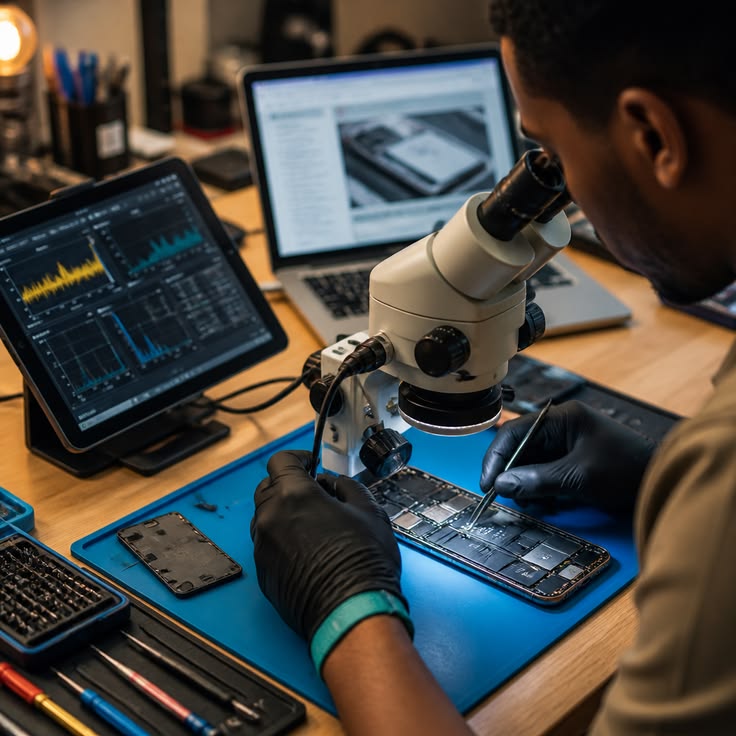
Joining a mobile and laptop repairing course in Kerala can help students understand device hardware, software troubleshooting, motherboard diagnostics, and advanced chip-level repair techniques. With proper training, practical experience, and guidance from experienced professionals, learners can develop the skills required to enter the electronics service industry.
Why Choose Mobile and Laptop Repairing as a Career?
The growing use of smartphones, laptops, tablets, and other electronic devices has created opportunities in the repair and maintenance industry. Devices may experience hardware failures, software issues, charging problems, display damage, motherboard faults, and other technical problems that require professional attention.
A career in mobile and laptop repairing offers several advantages for people who enjoy technology and practical work.
1. Develop Practical Technical Skills
Repairing electronic devices requires understanding how different components work together. Through structured training, students can learn to identify components, use diagnostic equipment, troubleshoot technical issues, and perform repairs.
These practical skills can help learners become more confident in handling different repair situations.
2. Explore Different Career Opportunities
After completing professional training, learners can explore opportunities in mobile service centres, laptop repair shops, electronics service companies, technical support departments, and hardware maintenance facilities.
The career path may vary depending on the learner’s skills, experience, and specialization.
3. Build a Self-Employment Opportunity
Mobile and laptop repairing can also be a suitable option for individuals interested in entrepreneurship. With technical knowledge, experience, and business planning, a technician can eventually establish a repair shop or provide independent repair services.
4. Learn a Skill-Based Profession
Unlike careers that depend entirely on academic qualifications, electronics repair also requires practical ability. Students who enjoy working with tools, understanding circuits, and solving technical problems may find this field interesting.
What Will You Learn in a Mobile Repairing Course?
A mobile repairing course introduces learners to smartphone technology, electronic components, hardware architecture, software systems, and repair procedures. A structured curriculum generally starts with basic electronics and gradually progresses to advanced troubleshooting and repair techniques.
Understanding the internal structure of a smartphone is important for identifying faults and performing repairs accurately. Instead of randomly replacing components, technicians need to understand how different parts work together and how a fault in one section can affect the overall functionality of a device.
Mobile Hardware Fundamentals
Mobile hardware training helps students understand the physical components inside smartphones and their functions. This knowledge is essential for performing repairs, diagnosing hardware problems, and handling devices safely.
Students may learn about:
- Smartphone motherboard architecture
- Integrated circuits and electronic components
- Display modules and touchscreens
- Battery systems and power management
- Charging connectors and charging circuits
- Camera modules and sensors
- Speakers, microphones, and audio circuits
- Flex cables and connectors
- Network and communication components
Learning about these components helps students understand the relationship between different hardware sections and how to identify possible sources of device malfunction.
Mobile Software Troubleshooting
Smartphones may experience software-related problems such as booting errors, application crashes, operating system issues, performance problems, and configuration errors. Mobile technicians need to understand how to identify these problems and apply suitable troubleshooting procedures.
Software training may include operating system installation, firmware updates, flashing procedures, recovery modes, software error diagnosis, and basic device configuration. Students may also learn about software-related faults that affect device performance and functionality.
Understanding both hardware and software is important because some device problems may appear to be hardware failures but are actually caused by software-related issues. Proper diagnosis helps technicians avoid unnecessary component replacement and identify the appropriate solution.
Mobile Hardware Repair Techniques
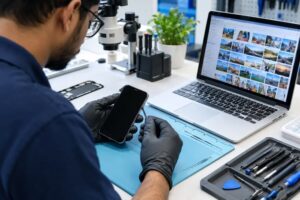
Mobile hardware repair involves diagnosing and repairing damaged or malfunctioning smartphone components. During practical training, students may learn to dismantle devices, inspect internal components, identify defective parts, and perform suitable repair procedures.
Common mobile repair tasks include display replacement, battery replacement, charging connector repair, speaker replacement, microphone troubleshooting, camera replacement, and flex cable servicing.
Students also learn the importance of safe device handling, proper tool usage, component identification, and careful reassembly. These skills are essential for maintaining repair quality and preventing additional damage during the repair process.
Advanced Mobile Chip-Level Repairing
Chip-level repairing is one of the advanced areas of smartphone servicing. It involves diagnosing faults on the motherboard and repairing electronic components rather than simply replacing complete modules.
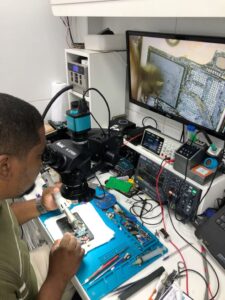
A chip-level repairing course may introduce students to circuit analysis, voltage testing, short-circuit detection, IC identification, micro-soldering, component replacement, and advanced motherboard troubleshooting.
Learners may also gain exposure to power circuits, charging circuits, signal sections, and other motherboard components. Developing chip-level repair skills requires patience, precision, technical understanding, and repeated practical practice.
What Will You Learn in a Laptop Repairing Course?
Laptop repairing is an important area of electronics servicing that requires an understanding of computer hardware, motherboard architecture, electronic circuits, operating systems, and troubleshooting procedures. As laptops are used for professional work, education, business operations, and personal activities, technical problems can affect productivity and require proper repair and maintenance.
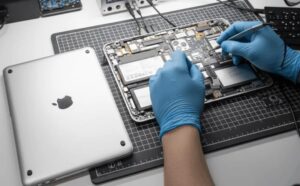
A laptop repairing course helps students understand how laptops function, how their components interact, and how to identify common and advanced technical problems. Training generally begins with basic laptop hardware and progresses to software troubleshooting, component replacement, circuit diagnostics, and motherboard-level repairs.
Laptop Hardware Architecture
Understanding laptop hardware architecture is the foundation of laptop repairing. Students learn about the internal components of a laptop, their functions, and how they work together to ensure the device operates properly.
The training may cover the laptop motherboard, processor, RAM, SSD, display, keyboard, touchpad, battery, cooling system, ports, and other hardware components. Learners also gain an understanding of the relationship between these components and how hardware failures can affect the performance of a laptop.
This knowledge helps technicians understand common problems such as laptops not turning on, overheating, slow performance, display issues, battery problems, and hardware failures.
Laptop Hardware Replacement and Servicing
Laptop servicing involves inspecting, maintaining, replacing, and repairing different hardware components. Students learn how to dismantle laptops safely, identify damaged components, perform replacements, and reassemble devices correctly.
Practical training may include RAM upgrades, SSD installation, keyboard replacement, display replacement, battery servicing, fan cleaning, cooling system maintenance, and connector repairs.
These procedures help students develop the technical confidence required to handle different laptop models and understand the importance of proper maintenance.
Laptop Software Troubleshooting
Software troubleshooting is another important part of laptop repairing. A laptop may experience problems because of corrupted operating systems, missing drivers, incorrect BIOS settings, boot errors, software conflicts, or other system-related issues.
Students learn how to diagnose software problems and apply suitable troubleshooting methods.
Training may include:
- Operating system installation
- Driver installation and configuration
- BIOS setup and troubleshooting
- Booting and startup problem diagnosis
- Software installation and system configuration
- Basic data backup procedures
- Operating system errors and recovery
- Performance troubleshooting
Software troubleshooting knowledge enables technicians to identify whether a problem is related to the operating system, hardware, or another technical factor before attempting a repair.
Laptop Motherboard Diagnostics
The laptop motherboard is responsible for connecting and controlling different hardware components. It contains multiple electronic circuits that support power delivery, processing, charging, communication, and other essential functions.
Motherboard diagnostics require an understanding of electronic components, circuit functions, voltage levels, and troubleshooting methods. Students may learn to identify components such as MOSFETs, capacitors, resistors, ICs, coils, and other elements used in laptop circuits.
By understanding motherboard architecture and circuit functionality, learners can develop a systematic approach to diagnosing laptop faults instead of relying only on replacing components.
Laptop Chip-Level Repairing
Laptop chip-level repairing involves diagnosing and repairing faults at the electronic component level. This area requires advanced technical knowledge and practical experience with motherboard circuits and specialised repair tools.
Training may include power circuit diagnostics, charging circuit troubleshooting, short-circuit identification, component testing, IC replacement, BIOS-related troubleshooting, and motherboard repair techniques.
Chip-level training helps students understand how different electronic circuits function and how faults in specific components can affect the operation of an entire laptop.
Mobile and laptop repairing is a practical technical field that offers opportunities for individuals interested in electronics, technology, and hands-on problem-solving. As digital devices continue to play an important role in education, business, communication, and everyday life, developing the skills required to diagnose, maintain, and repair these devices can be a valuable career investment.
Choosing the right mobile and laptop repairing course in Kerala is an important step toward building a strong technical foundation. A course that combines theoretical understanding, hands-on laboratory training, advanced chip-level repair techniques, and industry exposure can help students develop the confidence and expertise required to explore the electronics service industry.